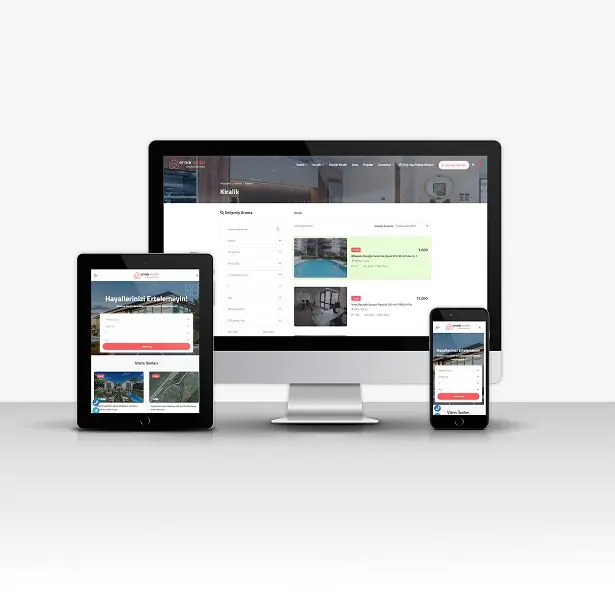

Company V6

Professional Script Solution

Company V6
Company V6

Description

Professional Company V6 Script

Installation Instructions

SETUP;

  1. Upload your files to your FTP server.
  2. Create a new database from your hosting panel.
  3. Import the 'scriptadi.sql' file found in the installation files into the database you created.
  4. You can activate your website by entering your database information in the system/baglan.php file.

IMPORTANT;

  • Our software requires a minimum PHP version of 7.2.
  • Your server must have the latest IONCUBE installed.
  • Contact forms will not work if you do not enter your SMTP information.

ADMIN LOGIN INFORMATION  (Standard);

  • Admin Panel: www.siteadi.com/panel
  • Email: user
  • Password: 1234

Features

High Resolution:
Yes
Compatible Browsers:
Firefox, Chrome, Safari, Opera, Edge
Files Included:
HTML Files, JavaScript, PHP, SQL
Frameworks:
Cake PHP

Tags

Corporate Company Packages Corporate Company Corporate Packages Company Packages Corporate

Technical Details

Script ID: 1125
Category: Code
Sub-Category: PHP Scripts
Status: Active
Demo Link: View Demo
Last Update: 19.01.2026

Company V6 Frequently Asked Questions About This Script

  • Can I customize this script?

    Yes, all our scripts are fully customizable, providing full access to HTML, CSS, and PHP codes.

  • Can I install the script myself?

    Yes, our scripts come with easy installation instructions. We also offer free installation support.

  • Are domain and hosting required?

    Yes, a domain and hosting are required for the script to work. If needed, we can recommend one of our hosting packages.

  • Do you provide technical support?

    Yes, we provide 6 months of free technical support with all script purchases.

  • Are updates free?

    Yes, new versions of the script are provided free of charge.